Issue a transmittal
For: all users
Goal: turn the draft into a formal record — locked, distributed, and traceable.
Prerequisites — the issue gate
The Issue button stays inactive until every condition is met. Fluvial lists the exact blockers on the transmittal, so you're never guessing:
| Blocker shown | What it means | How to clear it |
|---|---|---|
| Add at least one document | The transmittal is empty | Upload documents |
| A document is still being read | Extraction is still running | Wait a few seconds |
| A document's extracted details need to be confirmed | Pre-filled values not yet reviewed | Confirm the details |
| A document is missing its number, name or revision | A field is blank | Complete it manually |
| Two versions of the same document are on this transmittal | A transmittal carries one version per document | Remove one of them |
| Choose recipients or select "No distribution" | No distribution decision made | Choose recipients |
| Awaiting role approval | A required approval role hasn't signed off | Get it approved |
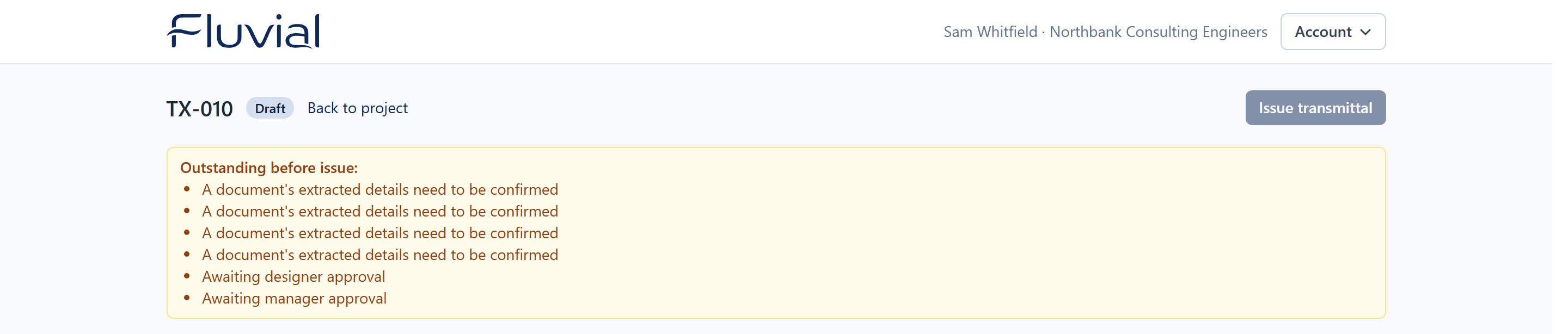 The issue gate — every blocker is spelled out until the transmittal is ready.
You may also see revision warnings (e.g. "Expected next revision is C"), and — if the project has a document number format — warnings on new document numbers that don't fit it. These are advisory only.
Steps
- Clear any blockers listed on the transmittal.
- Select Issue and confirm.
What happens when you issue
- The transmittal is locked forever — documents, recipients, and approvals are snapshotted as the permanent record.
- The transmittal PDF is generated, carrying your company logo.
- Each recipient gets their own email (to and cc alike) with the transmittal PDF attached and their private portal link. Documents are never attached to the email — recipients download from the portal, so large sets never bounce and every download is on the record.
- A Download all zip of the full document set is prepared for the portal.
- The audit trail records the issue, and the access history starts tracking portal visits and downloads.
What the email contains is described under Transmittal emails.
Result
The transmittal shows as issued and read-only. Recipients are receiving their emails. From here you can resend, share, and track access.
Issue is permanent
There is no un-issue. If something's wrong, issue a correcting transmittal — see What if I issue the wrong file?