Account settings
For: administrators
Goal: configure the account-wide behaviour every project inherits.
Account settings are admin-only, under Account settings.
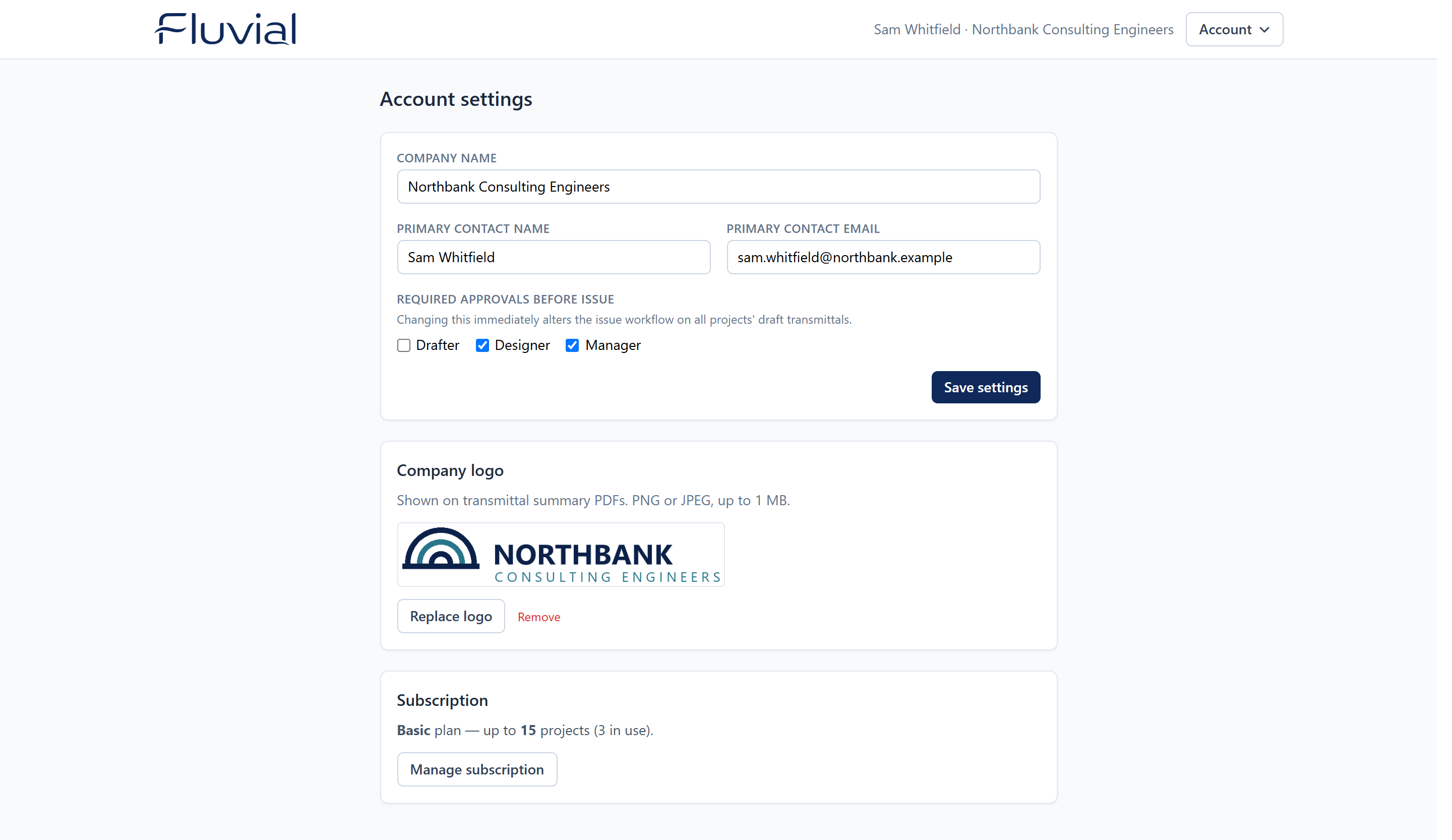 Account settings — company details, approvals, logo, and subscription.
Company name and primary contact
Company name appears throughout issued transmittals and emails.
Primary contact name and primary contact email identify who Fluvial should reach about the account — they default to whoever registered it, and can be changed at any time.
Required approvals
Choose which approval roles — drafter, designer, manager — must sign off before any transmittal in the account can be issued. Require any combination, or none.
Changes apply immediately to every draft transmittal: add a required role and drafts that lacked it gain a blocker; remove one and it disappears. Issued transmittals keep the approvals they were issued with.
Transmittal emails
The email each recipient receives at issue has a fixed layout, so it reads as a genuine transmittal rather than a generic "documents shared with you" message. It comes from your company name ("Alpha Engineering via Fluvial"), and replies go to the person who issued or resent it. It shows:
- the project, transmittal number and name, issue date, and who issued it;
- the transmittal's comments, if any;
- the first ten documents with their revisions (the attached transmittal PDF always has the full list);
- a View transmittal button that opens the recipient's portal link.
A closing line tells recipients to contact your company, or reply to the email, to be removed from the distribution. Remove them from the project's contact groups when they ask.
Company logo
Upload your logo (PNG or JPEG, up to 1 MiB) and it appears on every transmittal PDF from then on. The Fluvial logo will be used if no logo is uploaded.
Subscription
The Subscription card summarises your plan and project usage, and links to Manage subscription — see Billing and subscriptions.