Create a transmittal
For: all users
Goal: a draft transmittal ready to receive documents, recipients, and approvals.
Prerequisites
- A project. Any user can create transmittals in any of the account's projects.
Steps
- Open the project and go to Transmittals.
- Select New transmittal.
- Give it a name that will make sense on the record forever — e.g. Structural set — Rev C for construction, not Friday issue. Add comments if useful. Transmittal comments can optionally be included in the issue email.
- The draft opens, ready for documents.
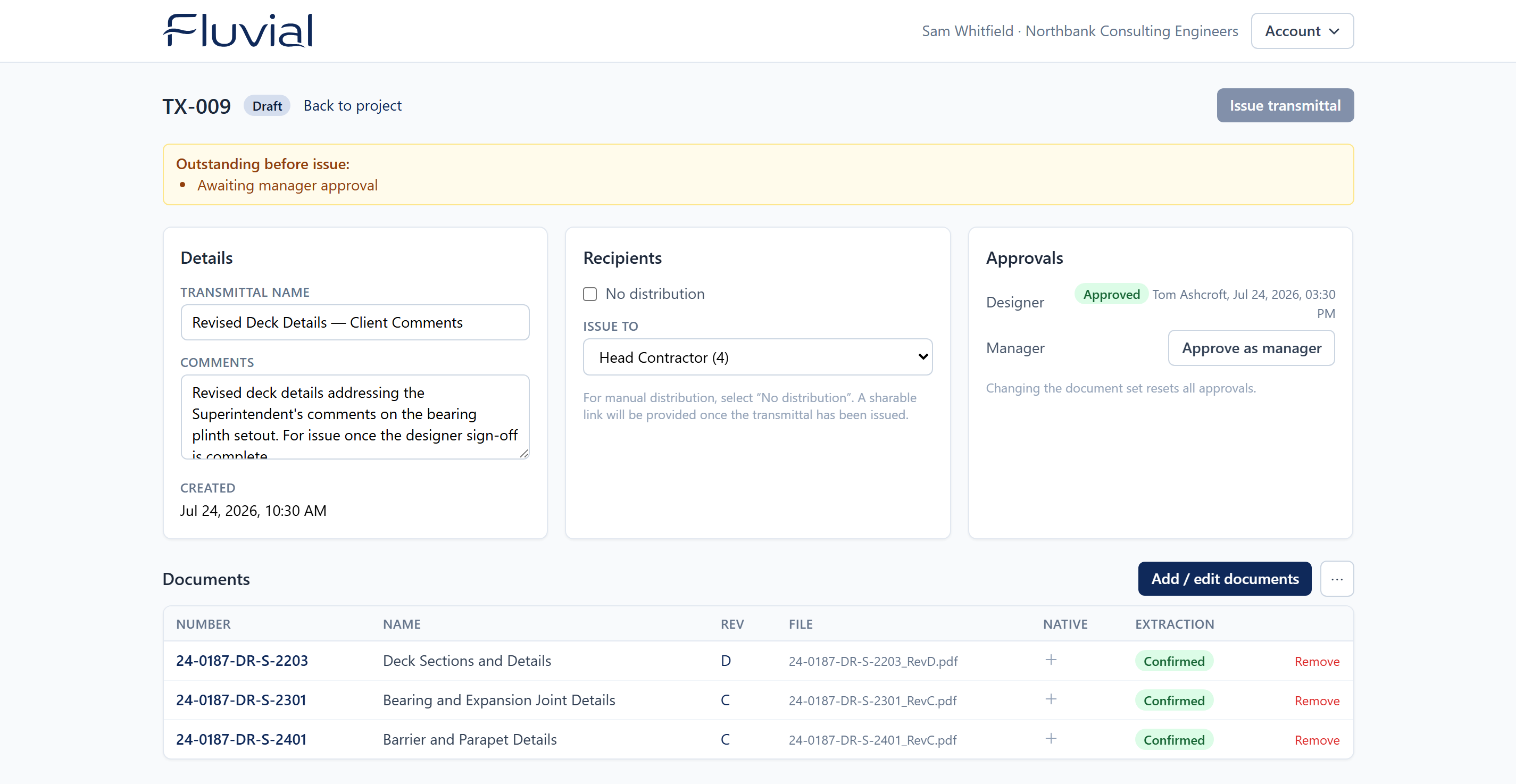 A new draft — the transmittal number is assigned for you.
While it's a draft
- Add and remove documents freely (Upload documents).
- Choose recipients — or No distribution.
- Collect approvals (they reset if the document set changes).
- Rename it, edit comments, or delete the whole draft — nothing is on the record until you issue.
Drafts are also your intake tray
A draft transmittal doesn't have to be heading anywhere yet. Teams often keep a draft open as the landing zone for work-in-progress uploads, and only name recipients when the set is ready to go.
Result
A numbered draft transmittal exists in the project. Everyone in your account can see and work on it.