You've received a transmittal
For: external recipients
Someone has formally issued documents to you through Fluvial. Everything you need is on one page — and you don't need an account, a password, or any software.
What you received
An email containing:
- a summary of the transmittal — who issued it, for which project, with any comments;
- a transmittal PDF attachment — the cover sheet listing the documents;
- a secure link to your personal download page (the portal).
The documents themselves are deliberately not attached — they live on the portal, so large drawing sets never clog your inbox and you always know where to find them again.
Download your documents
- Open the link in the email.
- The portal lists every document — number, name, revision — with its issuing details.
- Download files individually, grab a native (CAD) file where one was provided, or use Download all for the whole set as a zip.
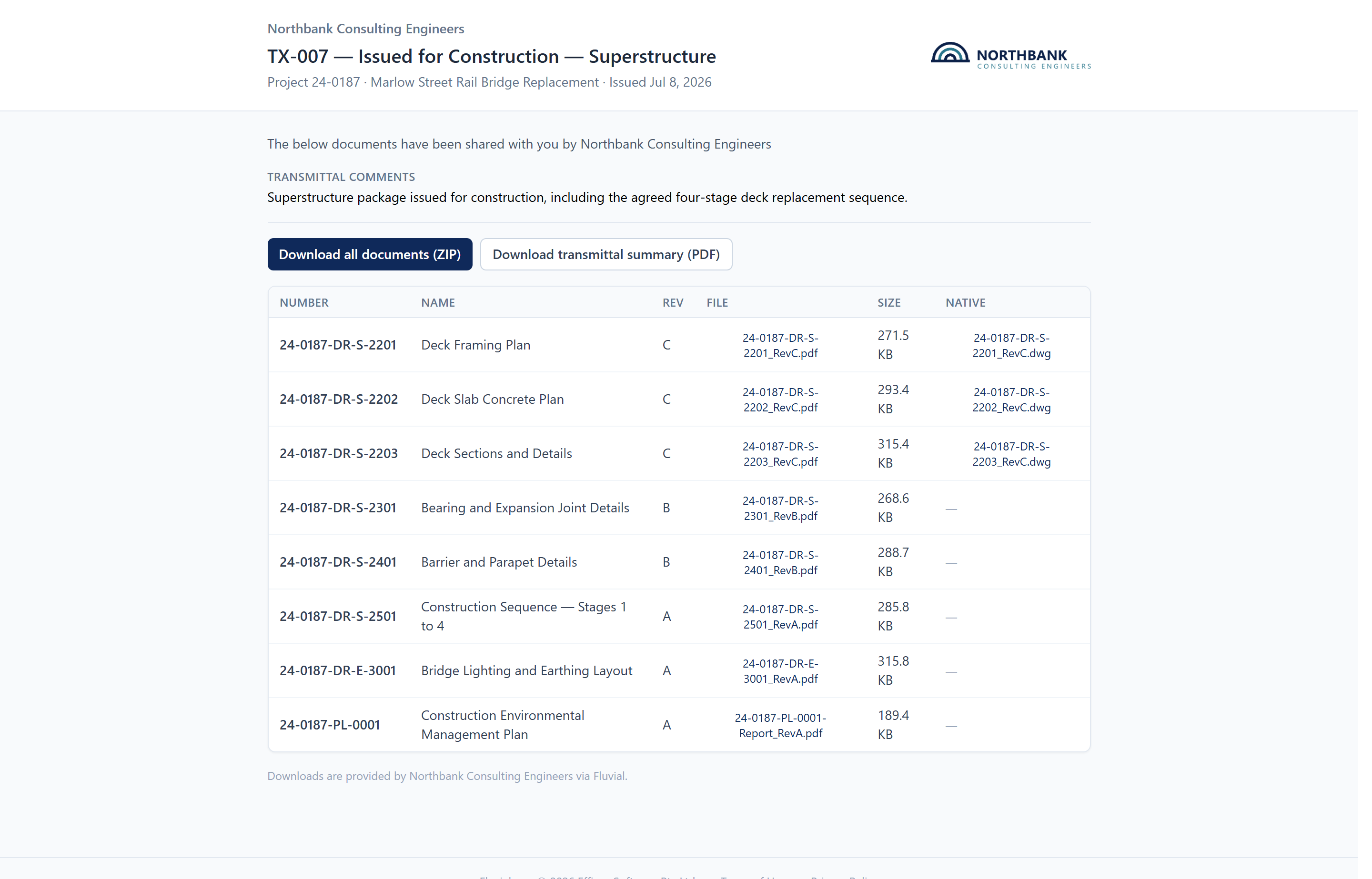 The portal — the full document list, individual downloads, and Download all.
Your link is personal and doesn't expire — come back to it whenever you need the documents again.
Frequently asked
Is the link safe? Yes — it's a unique, private, cryptographically random link created just for you. Treat it like the documents themselves: don't forward it to people who shouldn't have them.
"This link is no longer valid"? The link may have been revoked or (for shared links) expired, or the address didn't copy fully from the email. Contact the person who issued the transmittal — they can resend it in seconds.
Can I get updated drawings here? No — a transmittal is a fixed record of what was issued on a date. Revised documents arrive as a new transmittal with its own email.
Related articles
- What is Fluvial? — if you're curious about the system your consultant uses