Billing and subscriptions
For: administrators
Goal: understand the plans, upgrade or downgrade self-serve, and know exactly what happens to your data at every step.
Fluvial pricing has one axis: the number of active projects. Every plan includes unlimited users and every feature.
The plans
| Plan | Projects | Suits |
|---|---|---|
| Free | Up to 3 | Sole practitioners and trials |
| Basic | Up to 20 | Small engineering / design studios |
| Pro | Up to 100 | Established firms |
| Enterprise | Up to 500 | Large or multi-office firms |
Prices are shown at checkout. Payments are handled securely by Stripe, so your card details never touch Fluvial.
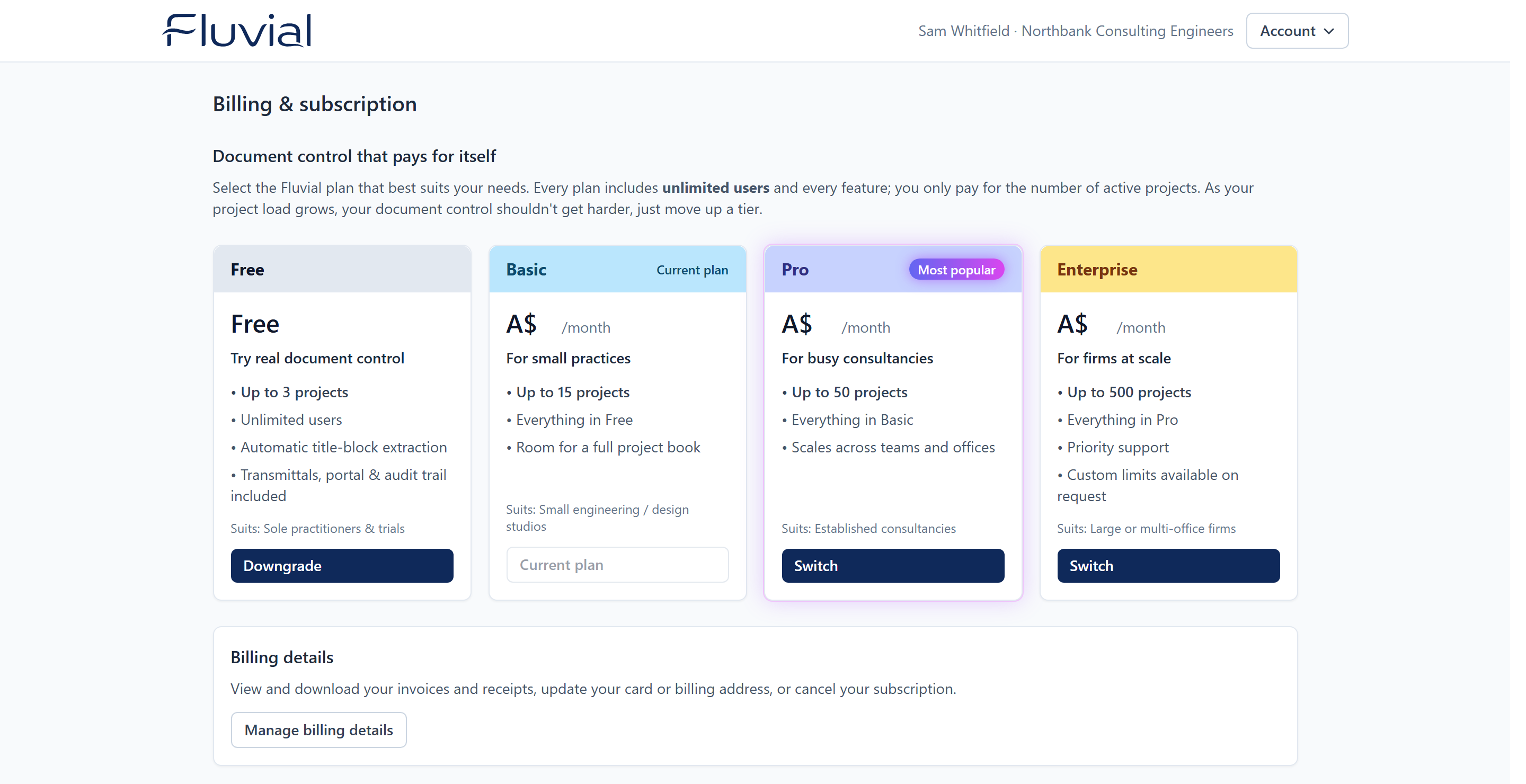 The Billing page — current plan, usage, and the four tiers.
Upgrade or switch plans
- Go to Account settings → Manage subscription (admin only).
- Pick a plan and select Upgrade (or Switch).
- Complete payment on the Stripe-hosted checkout page.
- Back in Fluvial, your new project limit applies within moments.
Use Manage billing details on the same page for invoices, card changes, plan switches, and cancellation — all through the Stripe customer portal.
If the page says online billing isn't available yet
Use the contact address shown on the page and we'll sort your plan out by hand.
Downgrading, cancelling, or a lapsed subscription
The rule is simple: downgrades never delete data.
If your project count exceeds your (new) limit — after a downgrade, cancellation, or a failed payment that ends the subscription:
- Everything remains accessible. All projects, documents, transmittals, and history stay readable and downloadable. Issued portal links keep working.
- Creating new projects and new transmittals is blocked while you're over the limit.
- Get back under the limit — or upgrade again — and creation unblocks immediately.
A missed payment doesn't cut you off on day one: the account is flagged past due and Stripe retries per its normal schedule; only if the subscription is ultimately cancelled does the account revert to the Free plan.
Need something bespoke?
Custom limits and arrangements are available — contact support@efficussoftware.com.