Search and use the register
For: all users
Goal: find any document in seconds, see its status and history, and download what you need.
The register is the project's flat, searchable list of every controlled document — the single source of truth for what exists and which revision is current. There are no folders to file into or dig through: search and filters do the work.
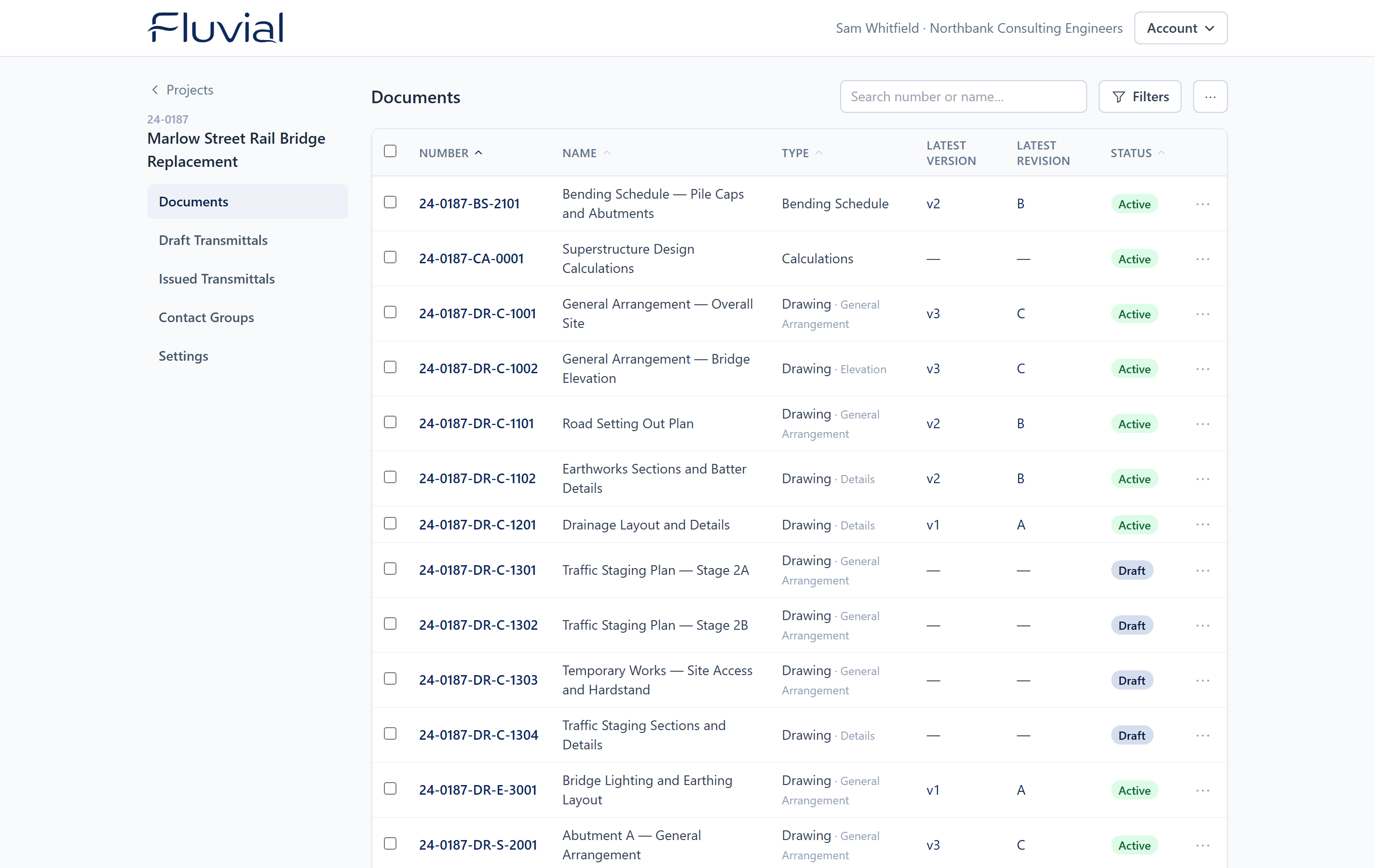 The register — number, name, type, current revision, and status for every document.
Find documents
- Search by document number or name.
- Filter by document type, drawing type, or status.
- Sort by the columns you care about.
From the register you can
- Open a document to see its full version history — every revision, who uploaded and issued it, and when.
- View or download the current PDF (or any superseded version — clearly marked so there's no mistaking it for the current version).
- Download the native file where one was provided.
- Export the register to PDF or Excel for issue sheets, QA audits, or client reporting — see Register exports.
Editing register entries
A document's number and name stay editable at any time — even after issue — so you can correct a typo or apply a register-wide renumbering. Edits are audit-logged. The revision name of an issued version, by contrast, is locked forever.
Draft rows
Documents whose every version is still a draft show as draft in the register — visible to your team, but not yet issued anywhere.