Issue a new revision
For: designers, engineers, document controllers
Goal: issue an updated revision of a document that's already in the register.
Worked example
Rev B of S-201 - Level 2 slab details was issued for tender. The design has
changed, and Rev C now needs to go to the architect and the contractor.
Prerequisites
- The document exists in the register (any status except withdrawn).
- The revised PDF.
Steps
- Create (or open) a draft transmittal — e.g. S-201 Rev C — for information.
- Add documents and upload the revised PDF.
- Fluvial reads the title block. Because
S-201already exists in the register, the upload is attached as a new version of the existing document. - Check the revision. Fluvial suggests the next revision name by continuing your
pattern (
B→C,T02→T03,01→02); confirm it or type your own. If the revision has been issued before, or isn't the expected next revision name, you'll see an advisory warning. Advisory warnings do not block the transmittal from being issued. - Choose recipients, collect approvals, and issue.
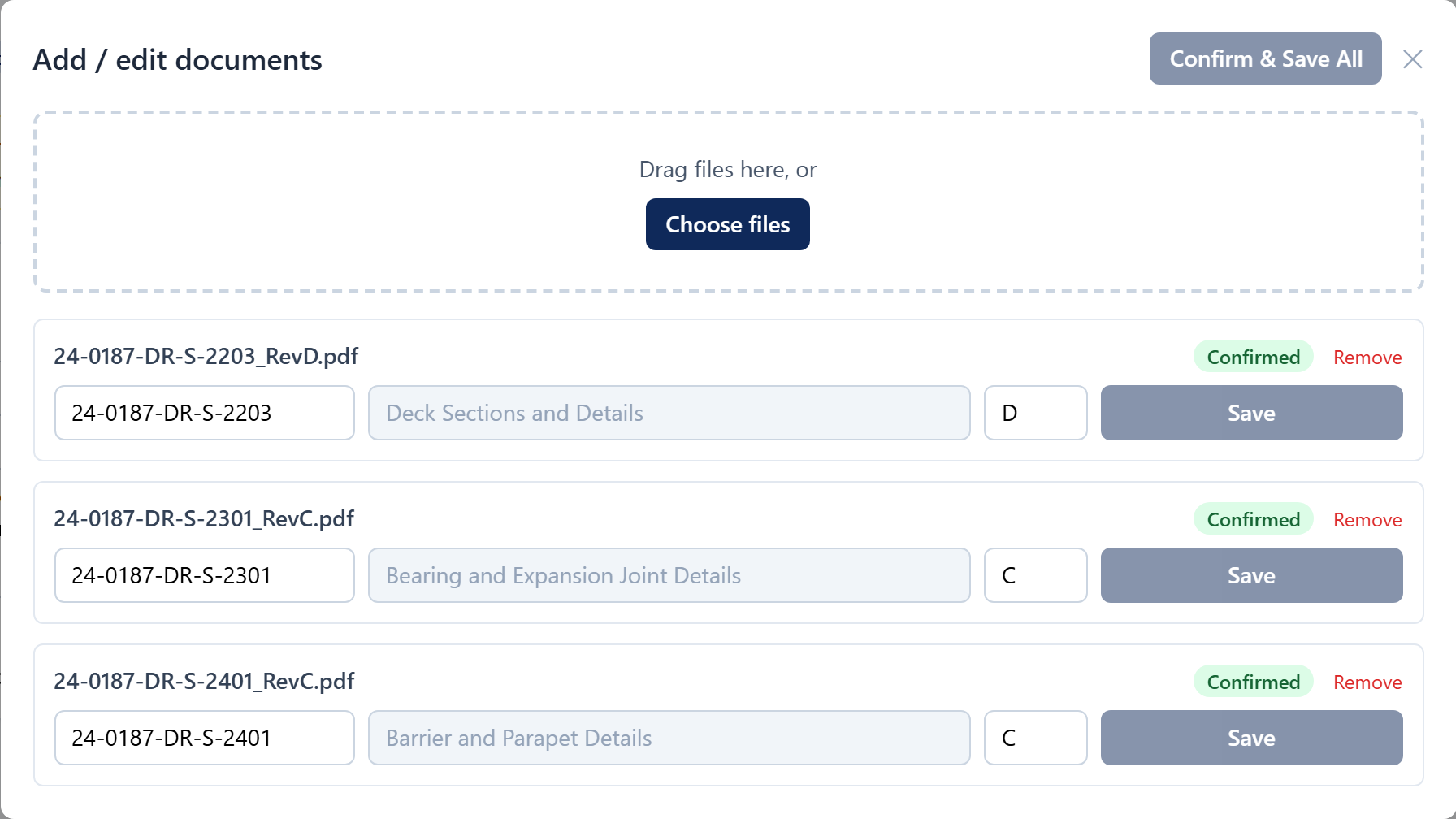 The next revision name is suggested from your own pattern — confirm or override.
Result
- Rev C becomes the document's current revision; Rev B is marked superseded but remains visible with its full history.
- Rev C's revision name is now locked — issued records never change.
- The register, document exports, and every future transmittal use Rev C.